

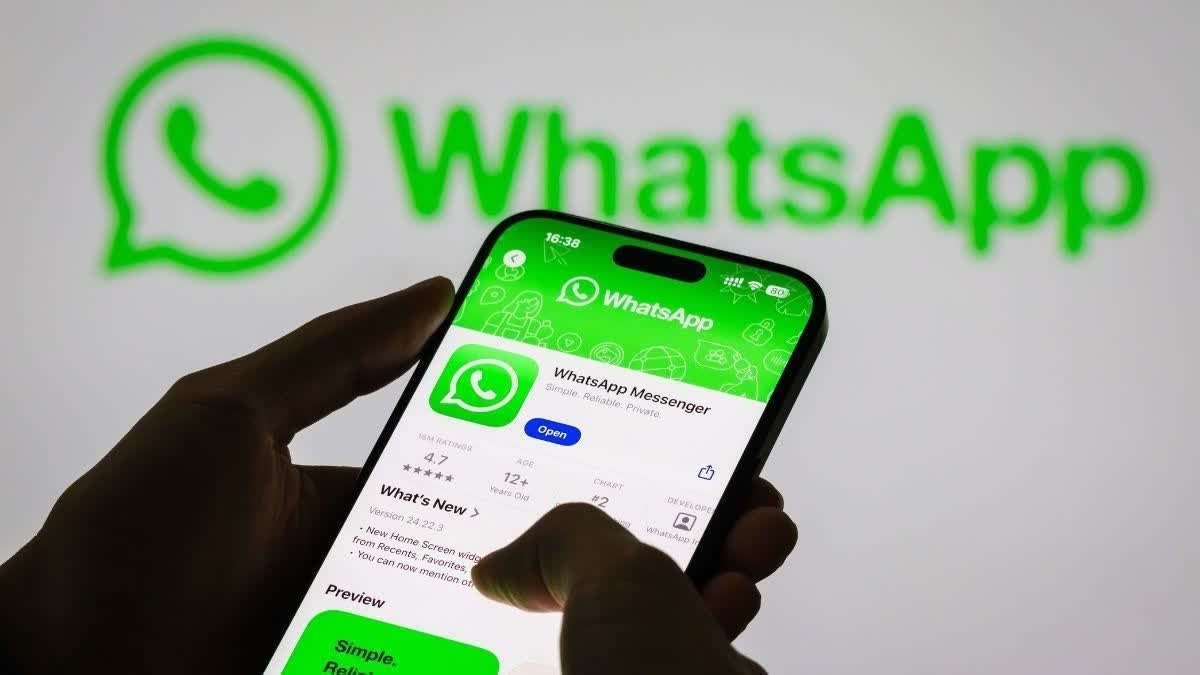

HYDERABAD, India — Android users are being urged to exercise caution after a fake WhatsApp application reportedly crossed 500,000 downloads on the Google Play Store. According to the supplied report, the suspicious app resembles the official WhatsApp listing and may appear among sponsored search results when users look for the popular messaging platform.
The app was reportedly listed under the developer name “Agment Assets sallu” and used screenshots and a description similar to those of the legitimate WhatsApp application. The report also claimed that the app remained available on the Play Store at the time of publication.
The incident has raised concerns about fake applications, misleading sponsored listings, and potential security risks for Android users. It also highlights the importance of verifying an app’s developer, checking its official listing, and avoiding downloads from unfamiliar sources.
The app’s reported download count does not, by itself, establish that it contains malware or has stolen user data. Its actual functionality and security risks would need to be confirmed through technical analysis.
How the Fake WhatsApp App Was Reportedly Discovered
The suspicious listing attracted attention after a Reddit user operating under the name “2ne1cheese” reportedly raised concerns in the r/mildlyinfuriating community.
According to the supplied report, the user explained that people searching for the genuine WhatsApp application could sometimes encounter a suspicious version displayed as a sponsored search result.
Sponsored listings are advertisements that can appear prominently in search results. Their placement does not necessarily mean that an app has been independently verified as authentic by the platform.
The reported listing appeared similar to the official WhatsApp page, making it potentially difficult for inexperienced users to distinguish between the two.
The app was reportedly published under the developer name “Agment Assets sallu,” whose account allegedly contained only that application.
These details have raised questions about how the listing was reviewed and whether users received sufficient information to identify the app as potentially suspicious.
Important: The developer name and download figures are based on the supplied report and have not been independently verified here.
Fake App Reportedly Used WhatsApp’s Official Screenshots and Description
One of the most concerning aspects of the reported listing was its visual similarity to the genuine application.
According to the report, the suspicious app used screenshots and a description resembling those of the official WhatsApp app.
This type of imitation can mislead users who make download decisions primarily by looking at an app’s icon, name, screenshots, or position in search results.
A convincing listing can make a fraudulent or unrelated application appear legitimate, especially when it is displayed near the top of a search page.
However, visual similarity alone does not prove that an application contains malicious software. A proper investigation would need to establish what the app actually does after installation, what permissions it requests, and whether it transmits or misuses personal information.
Users should therefore avoid assuming that an app is genuine simply because its listing looks professional or closely resembles that of a well-known service.
What Is the Difference Between the Real and Fake WhatsApp Apps?
The most reliable way to reduce the risk of downloading an imitation is to verify the application’s official publisher and listing. Official WhatsApp Messenger Verified identity to check The official Android app is published by **WhatsApp LLC**. Users should confirm the publisher and access the app through WhatsApp’s official website or its linked Google Play listing. [Official WhatsApp website](https://www.whatsapp.com/android/) </box> Suspicious imitation reported in the news Do not install without verification The reported listing used the developer name **“Agment Assets sallu”** and allegedly copied elements of WhatsApp’s official listing. Users should not treat this name as the legitimate publisher of WhatsApp Messenger.
The reported imitation’s exact current availability and technical behavior have not been independently confirmed. The comparison above is intended to help users identify the publisher discrepancy described in the report, not to establish that the app has been forensically tested.
How the Fake App May Have Benefited From Google’s Early Access Program
The report also linked the listing to Google Play’s Early Access program.
Early Access allows users to try certain applications before their full public release. Such apps may have less established public feedback than mature applications, which can make it harder for users to evaluate their reliability.
According to the supplied report, cybersecurity company Bitdefender had previously highlighted concerns about the limited availability of public reviews for some Early Access applications.
If an unfamiliar app has few reviews, users may have less information to help them judge whether it is trustworthy.
However, Early Access status does not automatically mean an application is unsafe, and the absence of reviews does not prove that an app is fraudulent.
The key concern is whether a suspicious developer can use a seemingly legitimate distribution channel and a convincing listing to attract downloads before users recognize the warning signs.
Why Fake Messaging Apps Can Be Dangerous
Messaging applications can have access to sensitive information, depending on their design, permissions, and the way users interact with them.
A malicious or deceptive imitation could potentially expose users to several risks.
1. Theft of Personal Information
A malicious application may attempt to collect personal information, device details, or other sensitive data without appropriate authorization.
2. Misuse of Permissions
Some apps request access to contacts, photos, files, the camera, the microphone, or other device features. Unnecessary or suspicious permission requests should be treated cautiously.
3. Phishing and Fraud
An imitation may display deceptive login screens, direct users to fraudulent websites, or attempt to obtain account credentials and verification codes.
4. Financial Scams
Fraudulent apps may direct users to payment scams, promote misleading offers, or encourage them to disclose financial information.
5. Device Security Risks
Depending on its actual behavior, a malicious app may download unwanted components, display intrusive advertisements, or engage in other harmful activities.
These are potential risks associated with malicious applications in general. The supplied report does not establish that the specific app described above carried out any of these activities.
How to Check Whether WhatsApp Is Genuine
Android users can take several practical steps before installing WhatsApp or any other popular application.
- Check the developer name. Confirm that the official WhatsApp Messenger listing identifies WhatsApp LLC as its publisher.
- Use the official website. Visit whatsapp.com/android and follow its link to the appropriate download page.
- Inspect the app listing. Look at the developer information, app history, reviews, and other available details.
- Be cautious with sponsored results. An advertisement’s position at the top of search results is not proof of authenticity.
- Review permissions. Consider whether requested access is necessary for the application’s stated purpose.
- Keep Google Play Protect enabled. Google’s built-in protection can help identify and warn users about certain harmful applications, although no security system catches every threat.
- Install system and app updates. Updates can address known vulnerabilities and improve security protections.
- Never share verification codes. Do not disclose WhatsApp registration codes or two-step verification PINs to another person or an unfamiliar application.
A small amount of verification before installation can help prevent account compromise and other security problems.
What Should You Do If You Have Already Installed the Suspicious App?
If you believe you have installed the reported imitation, take the following precautions.
Step 1: Stop using the suspicious application. Avoid entering passwords, verification codes, financial information, or other sensitive details.
Step 2: Uninstall the app. Open your Android phone’s Settings, go to Apps, select the suspicious application, and tap Uninstall.
Step 3: Run a security scan. Open the Google Play Store, tap your profile icon, select Play Protect, and run a scan. Follow any warnings or removal instructions provided.
Step 4: Check your WhatsApp account. Open the official WhatsApp application and review Settings → Linked devices. Log out of any device you do not recognize.
Step 5: Secure your account. If you entered a verification code or believe someone accessed your account, follow WhatsApp’s official account-recovery guidance. Enable two-step verification and secure the email account associated with it, if applicable.
Step 6: Review sensitive permissions. Check whether the suspicious app had access to contacts, SMS, accessibility services, notifications, or other sensitive features. Revoke unnecessary access and investigate any unfamiliar changes.
If you entered banking information or payment credentials into the suspicious app, contact your bank or payment provider promptly.
Uninstalling an app is an important first step, but it may not reverse information already disclosed. Additional action depends on what the app accessed and what information, if any, was submitted.
Why Google Play Store Security Matters
Google Play is a major distribution channel for Android applications, and users often rely on its presence as an indication that an app is reasonably trustworthy.
However, availability on an official app store should not be treated as an absolute guarantee of safety.
App marketplaces use review processes and automated security checks, but deceptive listings and harmful applications can still require further investigation or removal.
The reported WhatsApp imitation raises questions about how misleading listings are detected, how sponsored placements are reviewed, and how quickly suspicious apps are removed after users report them.
It also demonstrates why users should verify the identity of an app’s publisher instead of relying only on its name, logo, or position in search results.
Google Play Protect and other security measures provide useful layers of defense, but user awareness remains important.
Conclusion: Verify Before You Download
The reported appearance of a WhatsApp imitation with more than 500,000 downloads highlights the continuing risks posed by misleading Android applications.
According to the supplied report, the app used the developer name “Agment Assets sallu,” allegedly copied elements of WhatsApp’s official listing, and could appear in sponsored search results.
Although the app’s current availability and technical behavior have not been independently confirmed, the incident provides an important reminder for Android users.
Always verify the publisher, use official download links, review permissions, and avoid sharing account verification codes with unfamiliar apps or people.
For the genuine WhatsApp Android app, users can start at WhatsApp’s official Android download page rather than relying on an unfamiliar sponsored listing.
In an environment where fake apps can imitate popular services, checking before tapping “Install” is one of the simplest ways to strengthen your digital security.
Editorial note: The download count, developer identity, Reddit complaint, Early Access connection, and reported Play Store availability are based on the supplied news material and have not been independently verified. No conclusion about malware infection or data theft by the specific application should be drawn without further technical evidence.