

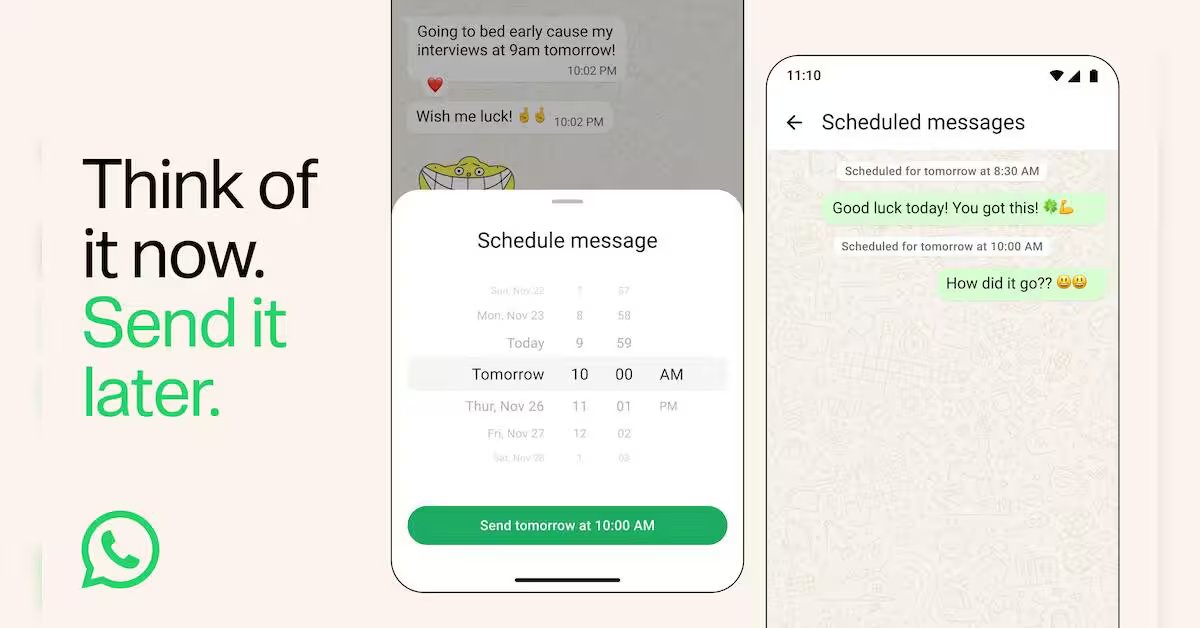

Users can schedule a message directly from an individual or group chat. The process involves selecting a delivery date and time before sending the message.
Follow these steps:
- Open WhatsApp and go to the individual or group chat where the message needs to be sent.
- Type the message in the chat’s text box.
- Press and hold the “Send” button.
- Select the date and time at which the message should be delivered.
- Confirm the schedule.
The message will then be queued for delivery at the selected time. WhatsApp said that scheduled messages will appear like regular messages to recipients, without indicating that they were written or scheduled earlier.
WhatsApp also said that users can see all future messages they have scheduled. This makes it possible to check upcoming messages and their delivery timings before they are sent.
Users can also delete a scheduled message if they change their minds before its delivery time.
To do this, open the list of scheduled messages, select the message that needs to be cancelled and delete it before it is sent. Once deleted, the message will not be delivered to the recipient.
WhatsApp scheduled messages: Details and availability
WhatsApp said that scheduled messages will be delivered at the selected time even if the sender’s phone is switched off or runs out of battery. Users do not need to keep their phones powered on for the message to reach the recipient.
The feature supports text messages, photos and videos, and works in both individual and group chats. WhatsApp has also confirmed that scheduled messages remain protected by end-to-end encryption, meaning only the participants in a conversation can read them.
WhatsApp is rolling out scheduled messages globally over the coming weeks. The feature may not be immediately available to all users as the rollout progresses.