


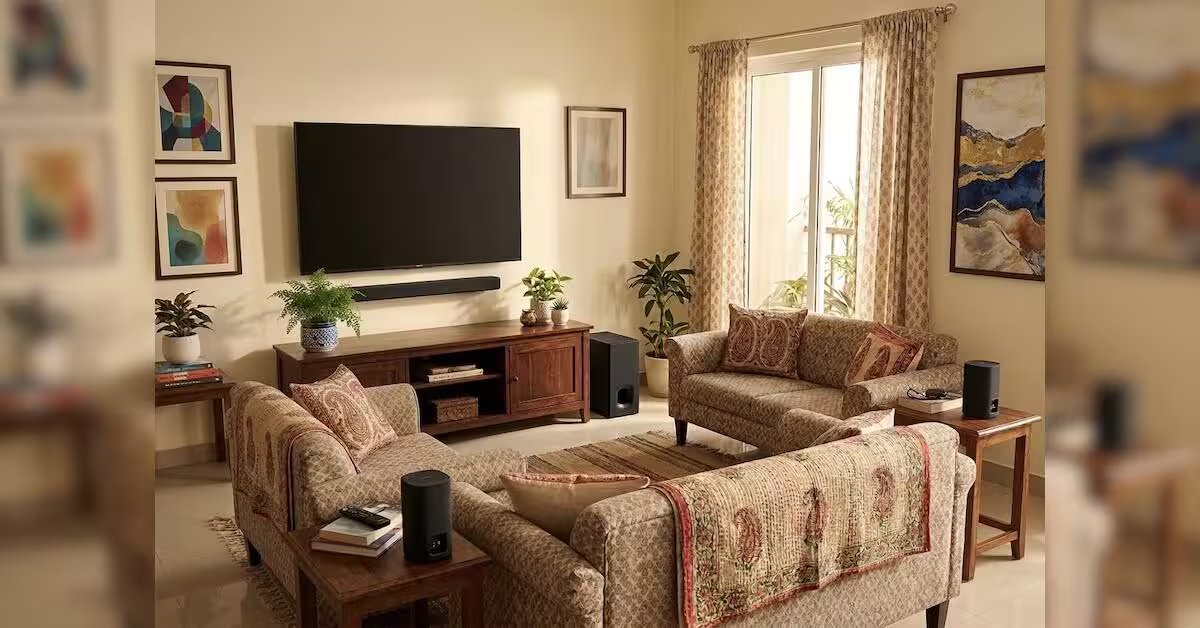

Sony recently launched its Bravia range of home audio products in India, including the Bravia Theatre Bar 7. While the soundbar works as a standalone audio device, the Japanese electronics maker also offers the option to expand the setup by pairing it with compatible subwoofers and rear speakers from its lineup to create a complete home cinema system.
For this review, I paired the Bravia Theatre Bar 7 with the Theatre Sub 8 and Theatre Rear 8. Both the subwoofer and rear speakers are optional add-ons and sold separately.
Sony Bravia Theatre Bar 7: Rs 99,990
Sony Bravia Theatre Sub 8: Rs 42,990
Sony Bravia Theatre Rear 8: Rs 44,990
Setting up
Like most soundbar systems, the Bravia Theatre Bar 7 is designed to sit beneath the television, either on a tabletop or mounted on a wall. For tabletop installations, Sony provides an additional pair of elevated grips designed to accommodate televisions with leg-style stands.
Not every television uses flat legs, but for those that do, the additional grips prove useful by providing the necessary clearance between the television and the soundbar.
One thing to keep in mind is that the soundbar should be placed in a location without any obstruction above it, such as a cabinet. An obstruction can interfere with the upward projection of sound from the top-firing speakers.
The wireless subwoofer, on the other hand, offers greater flexibility in placement. During my use, its performance remained consistent and free from noticeable latency even when placed around 10 feet away from the soundbar.
Connectivity
Once in place, the soundbar connects to the television using the supplied HDMI cable. Bluetooth 6 is also available for wireless connectivity, but HDMI remains the preferred option for getting the most out of the system.
There is support for Apple AirPlay and Spotify Connect as well, offering alternative ways to stream audio. However, the soundbar does not have a built-in voice assistant or the option to integrate an AI service.
This is an area where Sony takes a different approach from Sonos, which has introduced broader software and voice-related capabilities through its latest Sonos 27 audio operating system.
Nevertheless, the Bravia Theatre Bar 7 supports both Audio Return Channel (ARC) and Enhanced Audio Return Channel (eARC) through HDMI. It is important to check whether the television supports either of these standards, as compatibility can determine the formats and audio quality available from the connected setup.
Companion app: Bravia Connect
The Bravia Connect companion app is available for iPhone and Android devices through the App Store and Google Play, respectively. While the app is not mandatory for basic operation, I found it central to configuring the system according to the room and speaker layout.
During the initial setup, the app requests Bluetooth access to detect and pair the soundbar, subwoofer and rear speakers. Once the devices are detected, it guides users through the pairing process for the optional components. In the event of a pairing failure, the app also provides step-by-step troubleshooting instructions.
After the components are connected, the app allows tuning the soundbar, subwoofer and rear speakers according to the room layout. In my previous experience with the Theatre Bar 5, I mentioned that the tuning could be done by manually entering the distance of the speakers from the seating position and their vertical placement.
These manual controls provide a degree of flexibility, particularly for users who want to adjust the setup themselves. What’s new this time is the option for automatic soundstage calibration based on room acoustics and seating configuration. Using the phone’s microphone and high-frequency sound reflections, the system automatically configures the soundstage, and it works well.
After setup, the app presents a minimal interface, with key information available on the main screen. A drop-down menu at the top allows me to select the connection type — television or Bluetooth — while also showing the current audio configuration based on the content being played, such as two-channel audio, 5.1-channel sound or Dolby Atmos.
The app also acts as a central point for adjusting the sound experience without having to navigate through television menus or use the physical remote.
Configuration and soundstage
The Bravia Theatre Bar 7 is a nine-speaker soundbar with five front-facing speakers, including a dedicated centre channel, two up-firing speakers and one speaker on either side. Together, these form a 5.0.2-channel configuration. On its own, this arrangement already produces a wider soundstage than a conventional soundbar, but the Theatre Bar 7’s 360 Spatial Sound Mapping is where Sony’s approach becomes more interesting.
The technology uses the physical speakers in the soundbar along with phantom speakers (virtual sound channels) created through signal processing. Sony’s implementation uses the up-firing and side speakers to reflect sound off the ceiling and walls, creating the impression of sound coming from positions where there are no physical speakers – something object-based surround sound technologies largely try to achieve. With the optional rear speakers connected, the system expands this further, creating additional phantom speakers, including positions behind the listener.
I noticed the difference most clearly with Dolby Atmos content. Instead of the sound appearing to originate only from the soundbar below the television, the audio spreads across the room, with effects moving towards the sides and above me. The up-firing speakers add a sense of height, while the side speakers help push the sound beyond the physical width of the soundbar.
The effect is not the same as having a full speaker system positioned around the room, and I would not describe it as a replacement for dedicated physical channels. But for a soundbar-based setup, 360 Spatial Sound Mapping does a good job of expanding the perceived sound field.
With the Theatre Rear 8 connected, the difference becomes more apparent. The rear speakers provide physical channels behind the seating position, while 360 Spatial Sound Mapping fills the gaps between the physical speakers with phantom channels.
In my setup, this made action sequences more engaging because the sound did not remain anchored to the television. Background effects, movement and ambient sounds had more room to occupy, making the overall presentation feel larger. This is also where the Theatre Bar 7 starts to justify its positioning as a home cinema system rather than simply a soundbar for improving television audio.
The system also benefits from the Theatre Sub 8. While the soundbar itself has built-in woofers and can produce bass without a separate subwoofer, adding the Sub 8 gives low-frequency effects greater weight. Explosions, background rumble and other low-end effects have more physical presence, while the soundbar can focus more on the mid and high frequencies.
The difference is particularly noticeable with films and television shows with Dolby Atmos or DTS soundtracks. Dolby Atmos content makes the best use of the height channels, while DTS also benefits from the wider presentation. Dolby Digital content is handled well, too, with the soundstage opening up compared with a conventional two-channel presentation.
IMAX Enhanced
IMAX Enhanced is another feature Sony highlights with the Theatre Bar 7, but there is an important catch that potential buyers should know before considering the soundbar.
The Theatre Bar 7 does not enable the IMAX Enhanced experience in its standalone configuration. Sony requires the soundbar to be paired with a compatible subwoofer and rear speakers for the feature to work. In my case, I used the Theatre Sub 8 and Theatre Rear 8, so the complete setup enabled IMAX Enhanced.
This makes IMAX Enhanced less of a standalone soundbar feature and more of a feature of the expanded Theatre system.
With compatible content, which I struggled to find across available over-the-top platforms, the IMAX Enhanced soundtrack is designed to deliver a presentation closer to the intended cinema experience using DTS audio. Sony currently highlights support for select Disney+ titles as part of the Bravia Theatre experience.
In my experience, the value of IMAX Enhanced is not that it suddenly transforms the soundbar into a different product. Rather, it works as another layer of the expanded audio experience, where the rear speakers, subwoofer and 360 Spatial Sound Mapping collectively create a broader presentation.
This is important because the Theatre Bar 7’s IMAX Enhanced support could otherwise be misunderstood as something available immediately after buying the soundbar. If I were buying only the soundbar, I would not consider IMAX Enhanced a reason to do so. It becomes relevant when the soundbar is part of the complete configuration.
Clarity, bass and dialogue
In its default sound field mode, the Theatre Bar 7 produces an expansive presentation with a balance between clarity and bass. The dedicated centre channel also helps keep dialogue focused in the middle of the soundstage rather than allowing voices to get lost among the surrounding effects.
The sound is tuned more towards clarity and depth than sheer loudness. For films, I found this approach appropriate because dialogue remains understandable while background effects and music occupy their own space.
The Theatre Sub 8 changes the character of the system at the lower end. Bass has greater depth and physical presence, particularly in action sequences and scenes with heavy sound effects. It does not simply make the sound louder; it gives the low frequencies their own space within the overall presentation.
For music, the experience is somewhat different. The system can produce a wide presentation, but its strengths are more apparent with cinematic material than with straightforward stereo music. Sony provides different sound-field and upmixing options through the Bravia Connect app, allowing stereo content to be presented using the wider speaker configuration.
I also found the voice enhancement control useful for content where dialogue needed more prominence. There is a Night Mode as well, which is useful when watching content at lower volumes or when I do not want the dynamic range of the soundtrack to disturb others in the room.
Verdict
The Sony Bravia Theatre Bar 7 works as a standalone soundbar, but its design also makes clear that it is intended to be part of a broader home audio system. Sony’s option to add a subwoofer and rear speakers gives users the flexibility to start with the soundbar and expand the configuration later.
For me, the system’s strengths lie in the soundstage and the way it handles spatial audio formats such as Dolby Atmos and DTS. The default tuning prioritises clarity and depth over sheer loudness, which works well for films and other cinematic content.
The Bravia Connect app also plays an important role in the overall experience. It makes pairing and configuring the additional speakers straightforward and offers controls for adjusting the sound according to the room and the type of content being played. The automatic soundstage calibration also makes it easier to optimise the system for the room and seating position.
There are practical advantages for users already invested in Sony’s ecosystem. Integration with compatible Bravia televisions reduces the need to manage the soundbar through a separate remote or app for everyday controls.
However, the price of the complete setup needs to be considered. At Rs 99,990 for the Bravia Theatre Bar 7, Rs 42,990 for the Theatre Sub 8 and Rs 44,990 for the Theatre Rear 8, the configuration I tested costs Rs 187,970.
That is the central consideration with this system. The Theatre Bar 7 delivers the core experience on its own, but adding the subwoofer and rear speakers is what turns it into a more complete home cinema configuration. The modular approach offers flexibility, but achieving the full experience requires a significant additional investment.
For users who already own a compatible Bravia television and want a system that can be expanded over time, the Theatre Bar 7 provides a route into Sony’s home audio ecosystem. For those considering the complete configuration from the outset, however, the overall cost should be weighed against how much value they place on a dedicated subwoofer, rear channels and spatial audio formats.